
 Find a branch
 Contact
 Help
Help
How can I show proof I’ve made a payment in digital banking?
To show you’ve made a payment in Westpac One® digital banking:
In the app.
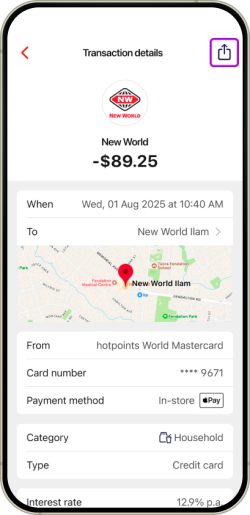
- For payments and transactions you’ve already made, just tap on the transaction and then select the share icon at the top of the screen.
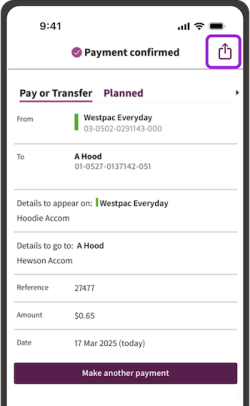
- When you’ve just made a payment, you can easily share confirmation of this straight away, by selecting the share icon from the top right of the Payment confirmed screen.
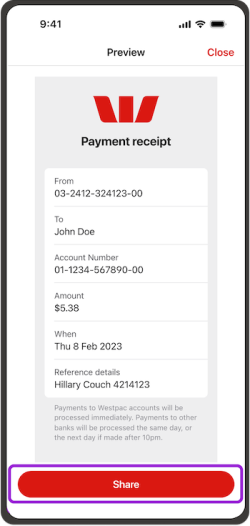
- Then choose Share to copy the payment receipt from the Preview screen
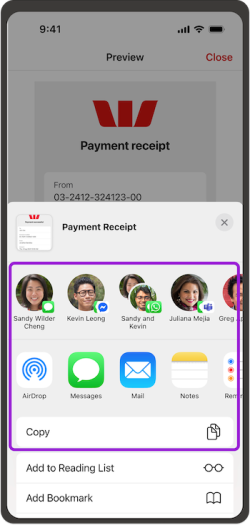
- Choose how you’d like to share it.
In online banking.
- If you’re on a computer, go to Timeline from the side menu (the bottom menu on a phone).
- Select the transaction
- Take a screenshot of the page using your phone or computer, then share that image. Transactions in Timeline don’t show your account balance.
Things you should know.
If you’re being paid, always check the money is in your account as scammers can create fake receipts. Check our tips to spot buying, selling and other scams.