
 Find a branch
 Contact
 Help
Help
How do I get a tax certificate?
Your tax certificates are easy to save or share from Westpac One® digital banking. They show the credit interest and tax paid on all your accounts that earned interest during a tax year.
In the app.
- Go to More from the bottom menu
- Select Profile
- Choose Tax Certificates
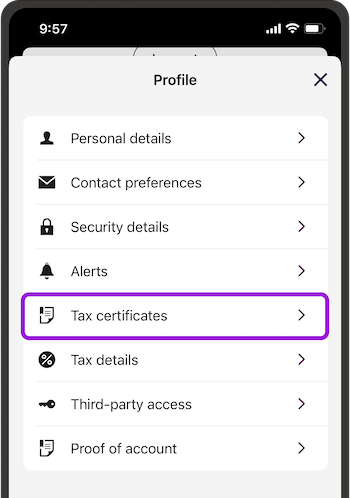
- Scroll down to Year ended and choose the financial year you want a certificate for
- Select the arrow to open the certificate, then the share icon from the top right of the screen to save or share it.
In online banking.
- Go to Profile
- Select Tax Certificates
- From Year ended, choose the financial year you want a certificate for
- Then Download.
Things you should know.
- Your tax certificate will generally be available by the end of April each year.
- Tax certificates for organisation accounts are only available in Westpac One when you log in with the organisation’s details as the account owner.
- If your tax certificate is not showing in digital banking please contact us, or pop into your nearest branch.
