
 Find a branch
 Contact
 Help
Help
What do I need to do now that I've received my Westpac debit or credit card?
How to activate your replacement card.
- If you've recently been issued a replacement card, activate it by making a purchase with your existing PIN or using it at an ATM.
- If you want to change your PIN, you can update it anytime in Westpac One® digital banking, or head to westpac.co.nz/pin
How to activate your new card.
- If your identity, address and income verification is complete but you don’t have a PIN, set a PIN in Westpac One® digital banking.
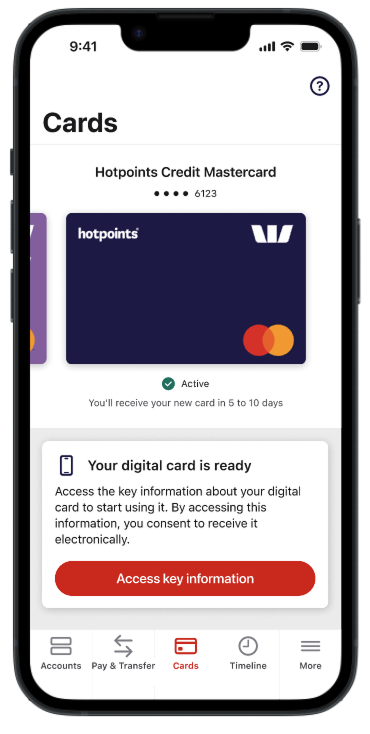
- You can view the key information for your new credit card through your Westpac One app to then start using your digital card straight away. You’ll still need to activate your physical card by making a purchase with your PIN or using it at an ATM.
- Once you have a PIN, finish activating your card by making a purchase with your PIN or using it at an ATM.
If your identity, address and income verification is not complete, please visit your local branch.
Information about new cards for joint and additional account holders
When there are joint credit card account holders who each hold a card for the account, both joint account holders will need to activate their card before the account can be used. They can do this by selecting a PIN in branch or by using their card at an ATM.
If you're an additional cardholder and need to set or change your PIN, you can do so by visiting a branch with photo ID. Additional cardholders will need the main cardholder to perform the PIN transaction first to activate the card account.
Conditions of Use for the applicable card apply.