
 Find a branch
 Contact
 Help
Help
How do I transfer money between accounts in Westpac One® digital banking?
Its quick, easy and safe to move money between your Westpac accounts with Westpac One® in the app or online banking.
In the app:
Quick transfer
Set up quick transfer to securely check balances and move money between your accounts without logging in.
Transfer
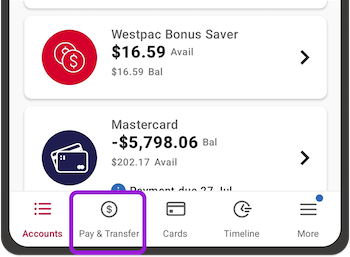
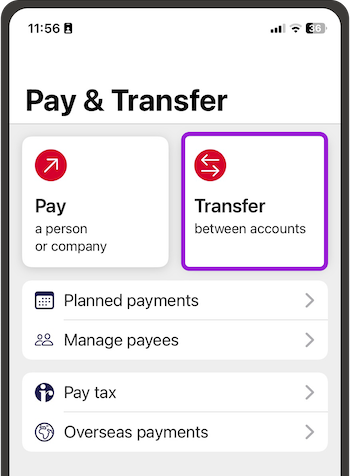
- From the bottom menu, go to Pay & Transfer, then choose Transfer
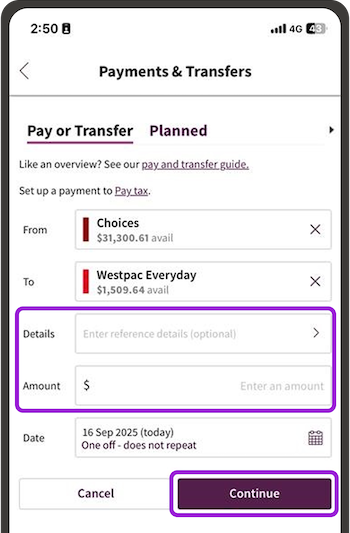
- Choose the account to transfer From
- Choose the account the money is going To
- Select Details to type in any details you want to appear on your account, type in the Amount, then Continue. The money transfers straight away, or you can choose a Date in the future
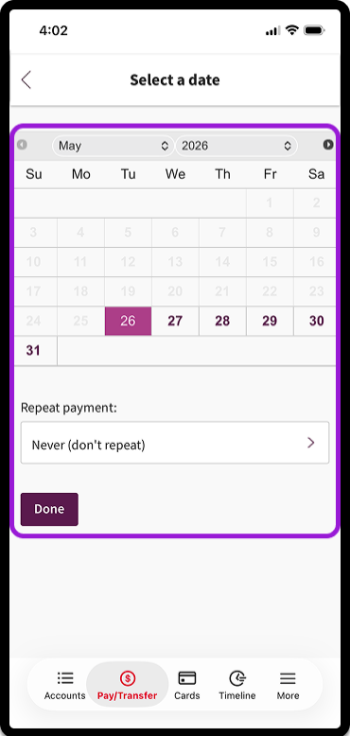
- If you'd like the transfer to repeat:
- Choose a Date
- Choose Repeat payment
- Under Last payment, choose No end date in mind or Make a number of payments
- You can choose a different Last payment amount if you'd like to
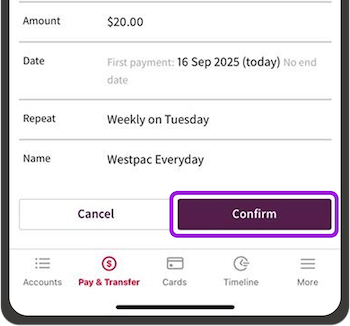
- Check or change the Name for the transfer
- Choose Continue, check the details, then Confirm.
In online banking:
Quick transfer
- To make a quick transfer on a computer, go to Quick transfer at the top of the Accounts screen

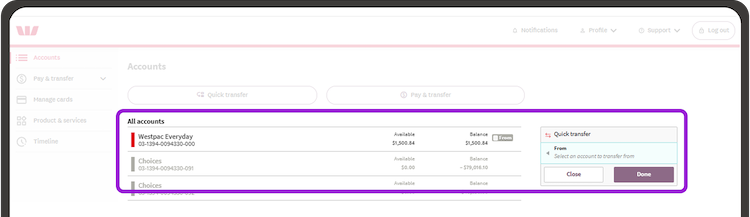
- Select the account to transfer From
- Then choose the account to transfer To
- Enter the amount
- Choose Done and the money will transfer straight away. Choose More options to choose a date in the future.
Transfer
- Go to Pay & Transfer, then Pay or Transfer
- Choose the account to transfer From
- Choose the account to transfer To
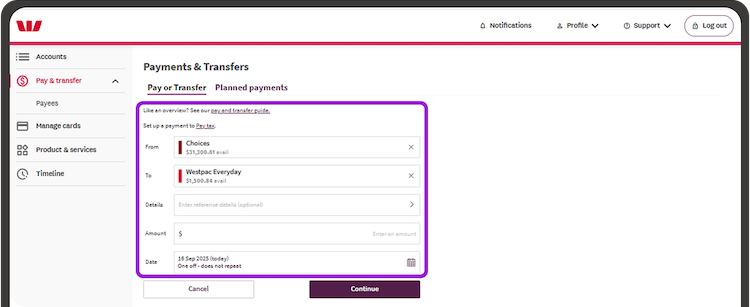
- The money will be transferred today, or you can choose a Date in the future
- If you'd like the transfer to happen more than once:
- Choose Date
- Choose Repeat payment
- Under Last payment leave it as No end date in mind or Make a number of payments
- You can make the Last payment amount different if you'd like to
- Check or change the Name for the transfer
- Choose Continue, check the details, then Confirm.
