
 Find a branch
 Contact
 Help
Help
How do I change or cancel a future payment?
Its quick and easy to edit or cancel a payment you've set up for the future in Westpac One® digital banking.
- If you're eligible you can change your home loan repayments.
Go to Accounts, then choose the loan Details. - For direct debits, contact the business you're paying to cancel or make changes.
- For automatic or other future payments:
-
- Go to Pay & Transfer
- Choose Planned payments
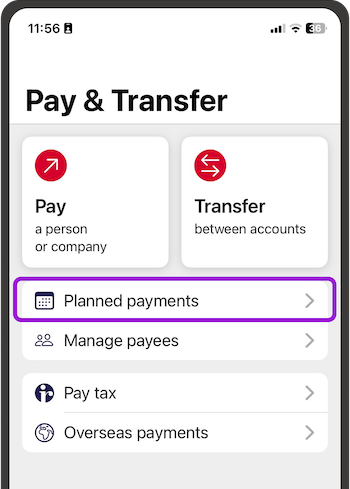
- Then choose the payment to change
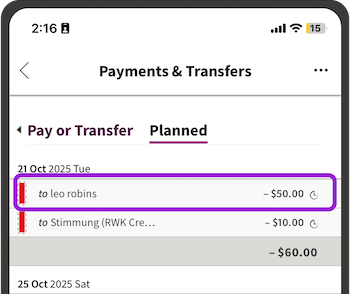
- To edit, cancel, suspend or skip the next automatic payment or edit or cancel another kind of future payment
- Choose the three dots on a phone in the app or online banking
- On a computer, choose from the menu on the right.
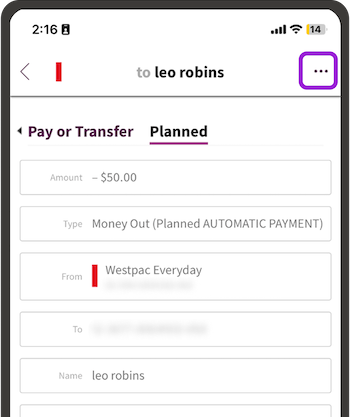
- Follow the steps.
Planned payments can be cancelled or edited up until the payment gets processed at 7am.
For a step by step guide go to How do I set up and manage an automatic payment?