
 Find a branch
 Contact
 Help
Help
How do I use my digital card details and dynamic security code to shop online?
Take advantage of added security for online shopping with a dynamic security code that changes after 24 hours in the Westpac One® app.
In the app.
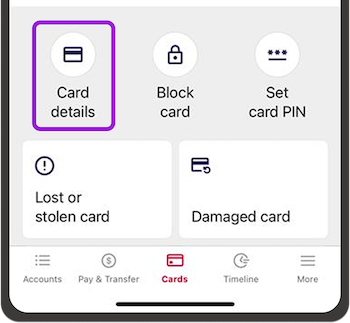
- Go to Cards from the bottom menu
- Choose the digital version of the card you’d like to use
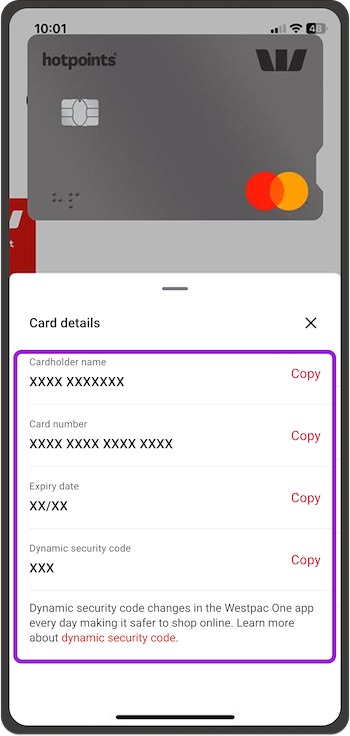
- Select Card details to copy your card name, number, expiry date and dynamic security code
- Choose Copy to copy your details for online shopping.
Video how-to guide.
If you can't spot your card details.
- Check you’re using the same phone as the number that you’ve registered with us
- Check you’ve activated your card
- If it’s a joint account, check the other joint account holder has activated their card.
If you don't use the app.
The security code (also known as card verification code, CVC or CVV) is the last three digits on the back of your physical card, on the right, under the card number.
If you can't read your code, call our Cards team on 0800 888 111 weekdays between 7am to 8pm and 8am to 5pm on weekends and public holidays, or from overseas call +64 9 912 8000 (international toll charges apply).
Learn more about cards.
