
 Find a branch
 Contact
 Help
Help
How do I use Apple Pay?
Apple Pay works anywhere contactless payments are accepted in New Zealand and overseas.
Where it works.
You can use it:
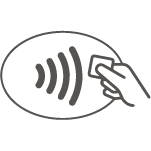
- In-store wherever you see the contactless payment symbol (you don't need an internet connection)
- In apps and on websites using the Safari browser and on selected websites in other browsers where Apple Pay is supported
- If you’re travelling overseas, we recommend you take your debit or credit Mastercard as a backup, and let us know before you travel so we can protect your cards and transactions better while you're away.
How to pay in stores.
Pay online.
You can use your iPhone, iPad, and MacBook Pro with Touch ID to pay on websites in Safari. If you’re using a Mac without Touch ID you’ll need to complete the purchase with your iPhone or Apple Watch.
- Select Apple Pay as the payment method at checkout
- Your default card will appear.
To pay with a different card, go to the > icon on your iPhone or iPad, or the Expand icon on your MacBook Pro - To confirm payment on iPhone and iPad, place your finger on Touch ID or enter your passcode.
On MacBook Pro, follow the steps on the Touch Bar and place your finger on Touch ID to confirm.
If Touch ID is off, tap the Apple Pay icon on the Touch Bar and follow the steps. - Your device will display Done if the transaction has been successful.
Pay within apps
You can use your iPhone, iPad and Apple Watch and compatible Mac with Touch ID to pay in apps
What you can’t use Apple Pay for.
You can’t use Apple Pay:
- To withdraw cash from retailers
- Over the counter at bank branches. You will need to use a physical card at branches.
- At contactless enabled ATMs. You will need to use a physical cards at ATMs.
Things you should know.
Apple Pay is available to all eligible Westpac debit and credit Mastercard® customers. Excludes Mastercard BusinessCard, Westpac Business Prepaid Mastercard and Global Currency cards. Customers also need a compatible Apple Device.
For a list of compatible Apple Pay devices, check Apple Support. For terms and conditions check Westpac Apple Pay Terms and Conditions.
Conditions of Use for the applicable card apply. Rates, transaction and services fees apply.
If you only make the minimum repayment each month, you will pay more interest and it will take you longer to pay off the unpaid balance.
Mastercard® is a registered trademark and the circles design is a trademark of Mastercard International Incorporated.
Apple Pay, Apple Watch, Face ID, iPad, iPhone, MacBook Pro, and Touch ID are trademarks of Apple Inc., registered in the U.S. and other countries.
