
 Find a branch
 Contact
 Help
Help
How do I edit a user's details and roles in Westpac One Business?
Edit user details.
You can edit a user’s email, certain roles, transactions and limits. If you want to give or return the Approver or Admin role to a user, you’ll need to fill out a Westpac One Business Change Request Form.
- Go to Manage, then select Users.
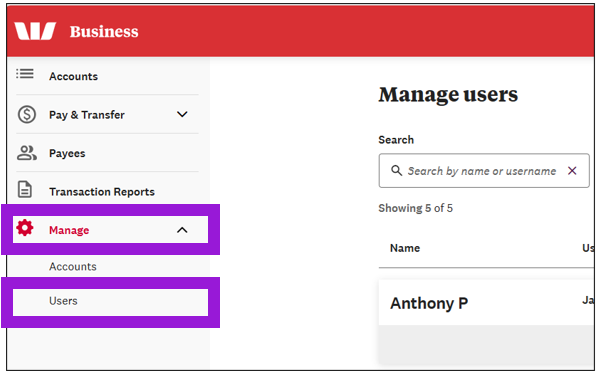
- Search for the user, then select Edit.
- To edit their email, go to User details and update the address in the Email field.
- When you're done making changes, select Save.
Edit user roles.
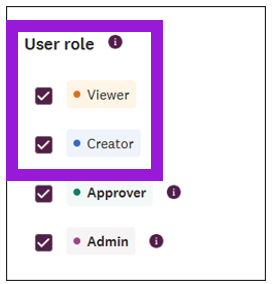
- To edit roles, go to User Roles, then:
- Select Viewer or Creator to give that role to the user
- Deselect either of these roles to remove it from the user.
- If you want to give or return the Approver or Admin role to a user, you’ll need to fill out a Westpac One Business Change Request Form.
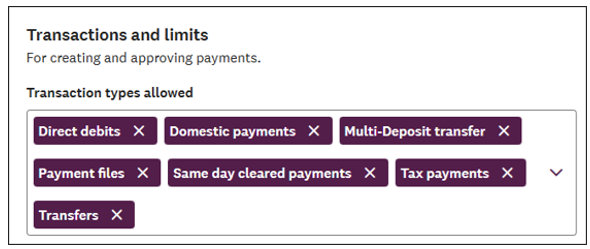
- To edit transactions and limits, go to Transactions and limits. You can:
- Select the dropdown arrow to add a transaction type
- Select the x next to a transaction type to remove it
- Change the limit per payment and total daily limit.
- When you're done making changes, select Save.
