
 Find a branch
 Contact
 Help
Help
How do I reset another user’s password in Westpac One Business?
If you're an administrator, you can reset another user's password if they've forgotten it.
Reset another user's password.
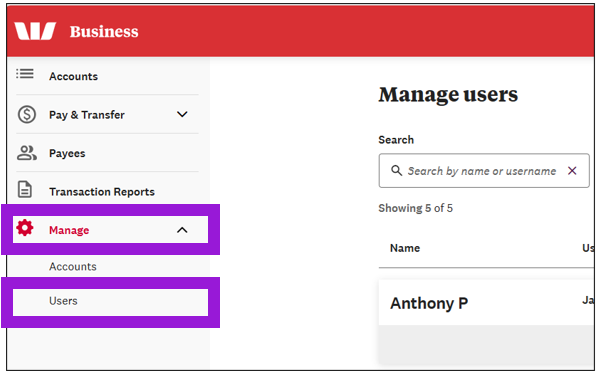
- Go to Manage, then select Users.
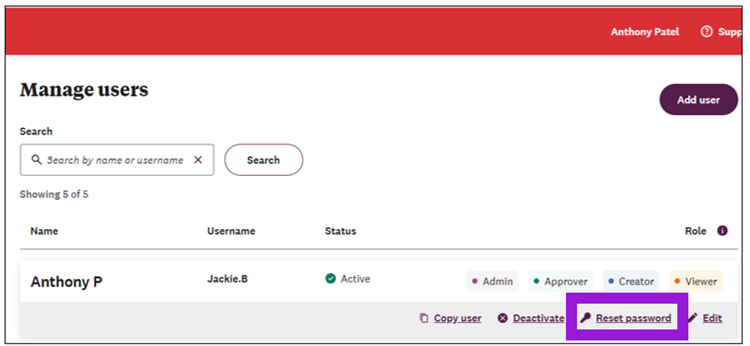
- Search for the user whose password you want to reset, then select Reset password.
- Select Yes, reset to create a temporary password for the user.
- For single-admin orgs, the temporary password is displayed and can be shared with the user.
- For dual-admin orgs, an approval request will be visible to the second administrator. They temporary password appears for the second admin, and they will need to share it with the user.
Note: For security reasons, if you send the user the username as well as the temporary password, use one communication method to send the password, and another to send the username.
Users can also call us on 0800 00 99 11 or +64 9 374 8226 from overseas (charges may apply) between 8.30am and 5.30pm weekdays and we can help them change their password.
Video: How to reset another user's password in Westpac One Business.
