
 Find a branch
 Contact
 Help
Help
How do I view payments in Westpac One Business?
View draft, pending, partially complete, completed payments or payments awaiting approval in Westpac One Business®. You can also download payment details and receipts.
View payments.
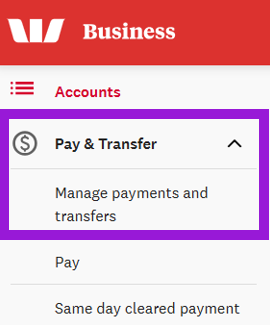
- In the left-hand menu, select Payments and transfers.
- Select Manage payments and transfers.
- Select the tab with the status of the payment you want to view:
- Your approval. Payments that need your approval
- Pending. Payments that are scheduled, processing, or waiting for approval by someone else
- Drafts. Partially completed payments that haven’t been sent for approval yet
- Processed. Completed payments.
- Find the payment in the list. The default is the last 25 payments made. To load more payments, select Show more at the bottom of the page.
- Select View to display the payment details. From here you can:
- Review the payment details
- Select Download to download the payment details (all payments)
- Select Receipt to download a receipt (processed same day cleared payments only).