
 Find a branch
 Contact
 Help
Help
How do I withdraw money or cancel a withdrawal from my Notice Saver account?
You can request to withdraw money from your Notice Saver account or cancel a withdrawal request from the Accounts screen in Westpac One® digital banking.
In the app.
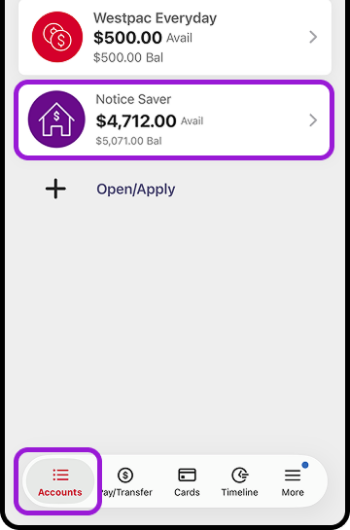
- Go to Accounts
- Choose your Notice Saver account
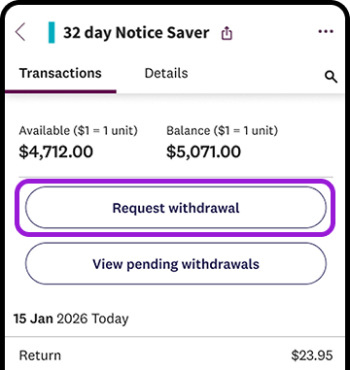
- Choose Request withdrawal
- Choose the account you would like the withdrawal money paid into and the amount
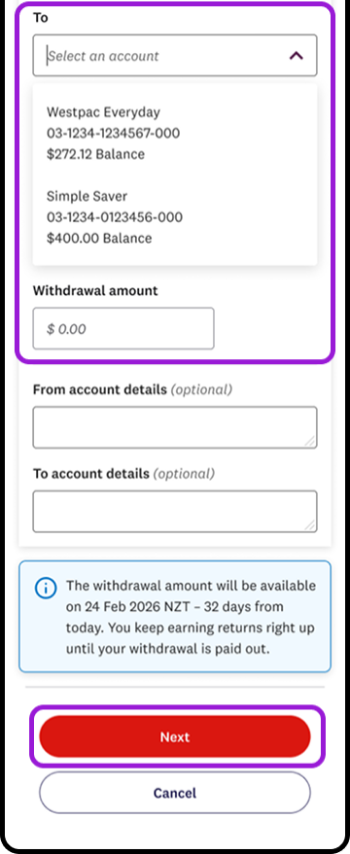
- You can choose to add account details to appear on your account statements if you’d like to
- Choose Next, check the details and Confirm
- The withdrawal amount will be in the account you selected 32 days after you confirmed your request.
In online banking.
- Go to Accounts
- Choose your Notice Saver account
- Choose Request withdrawal
- Choose the account you would like the withdrawal money paid into and the amount
- You can choose to add account details to appear on your account statements if you’d like to
- Choose Next, check the details and Confirm
- The withdrawal amount will be in the account you selected 32 days after you confirmed your request.
Cancel a withdrawal.
- Go to Accounts
- Choose your Notice Saver account
- Go to View pending withdrawals
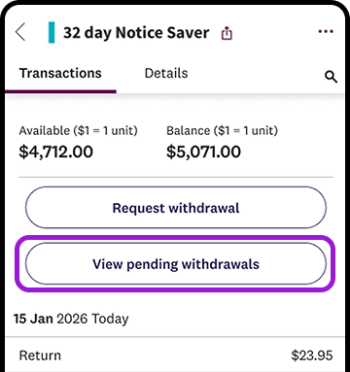
- Choose the Cancel icon next to the withdrawal you wish to cancel
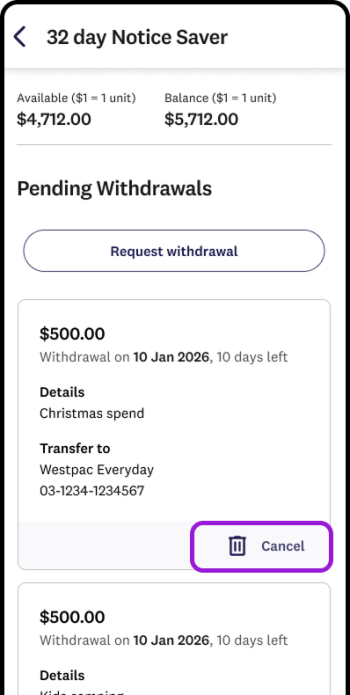
- Check the details, then choose Yes, cancel withdrawal.
