
 Find a branch
 Contact
 Help
Help
How do I edit a user's permissions in Westpac One Business?
Administrators can edit a user's access to accounts and the permissions they have for each account in Westpac One Business.
Edit permissions.
- Go to Manage, then select Users.
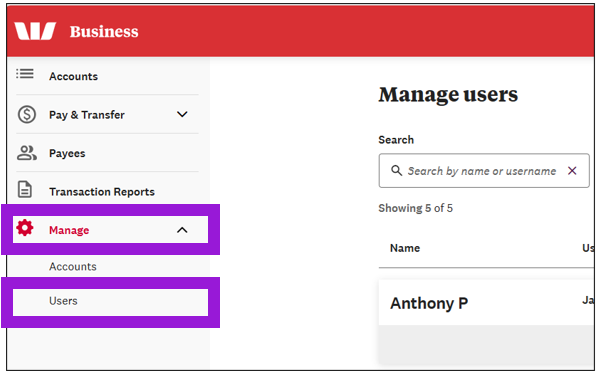
- Search for the user whose permissions you want to change, then select Edit.
- Select Account permissions.
- Select the boxes next to the accounts you want to give the user permissions for.
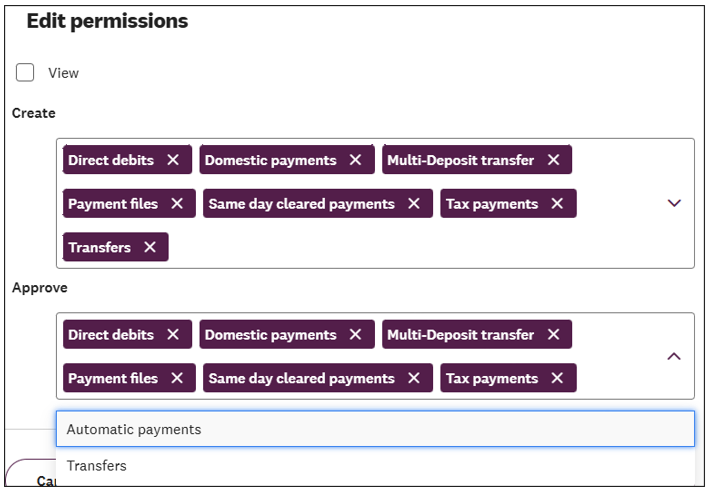
- Select Edit permissions.
- Choose the permissions you want the user to have for each account, then select Save.
- Select Save again