
 Find a branch
 Contact
 Help
Help
How do I create a receipt for a same day cleared payment in Westpac One Business?
Create a receipt.
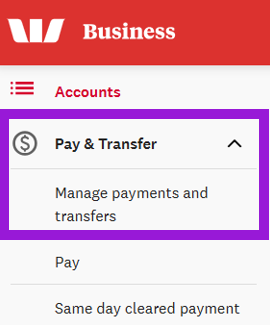
- Under Payments and transfers, select Manage payments and transfers.
- Select Processed and scroll through the list to find the same day cleared payment you want to create a receipt for.
- Select View to open the payment details screen.
- On the Payment details screen, select Receipt.

This creates a receipt that you can print or download to your computer that shows the:
- Payment type
- Date and time the report was generated
- Payment details, including sender and receiver information
- Payment amount (prominently displayed to highlight the completion status), timestamp, and amount.