
 Find a branch
 Contact
 Help
Help
How do I approve changes for dual-admin organisations in Westpac One Business?
Learn how to approve changes if you're an administrator whose organisation requires dual-admin approval.
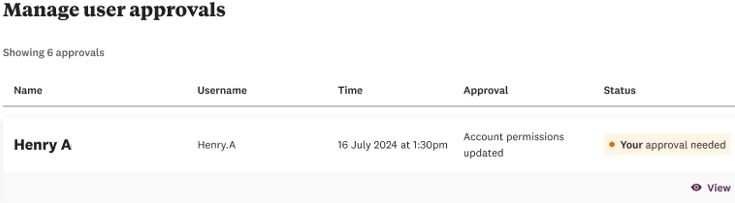
Manage user approvals.
- To see your approval requests, select Manage from the left-hand navigation.
- Select User approvals.
- Select the row of the user whose request you want to review.
- Review the request, then select either:
- Approve to apply the changes to the user
- Reject to cancel the changes to the user.
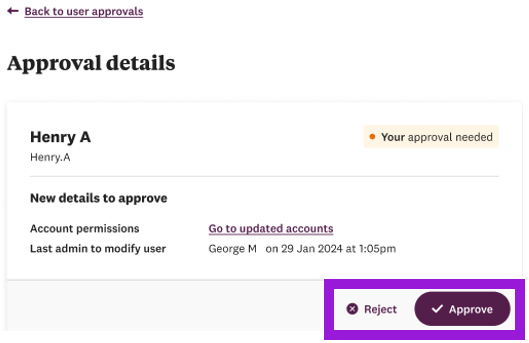
Rejecting an approval deletes the original change. The change will need to be made again and resubmitted for approval.
There isn’t currently a notification to let the first administrator know their approval request was rejected, so the second administrator will need to tell them.