
 Find a branch
 Contact
 Help
Help
How do I add a new payee in Westpac One Business?
Add a payee.
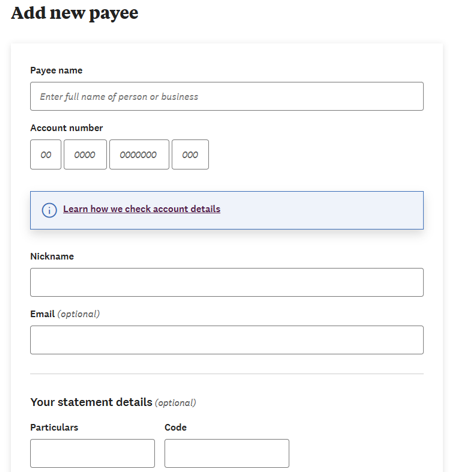
When you add a new payee, you can enter optional details such as their email address, particulars, code, or reference fields. You can also create a nickname for your payee to make it easier to find them in future.
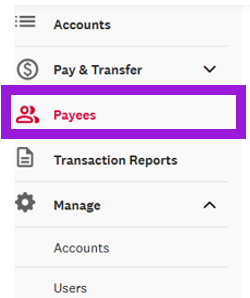
- From the left-hand menu, select Payees.
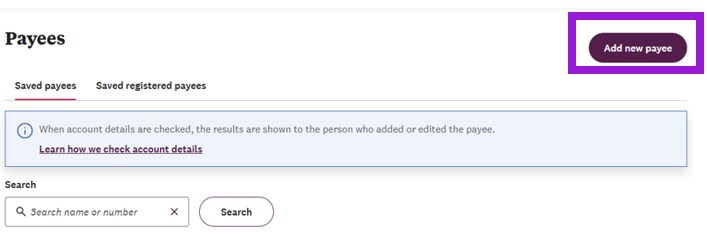
- Select Add a new payee.
- Enter the payee details, then select Next.
- We’ll check the payee details to see if they match.
- If the details match, you can continue and save the payee.
- f the details don’t match, you can either:
- Go back and review the details you entered.
- Save the payee if you're sure the details are correct.
Note: You can also add a new payee when you create a payment, or a same day cleared payment.